
Don’t say nothing: why privacy is so important
Posted on 15 Oct 2026
Community Directors has a warehouse-style office filled with artworks, and if I glance up towards…
Posted on 10 Jun 2026
By Adele Stowe-Lindner, executive director, Community Directors

There’s a line of thought about AI in the not-for-profit sector that goes something like this: “We don’t have the budget, the staff, or the time.” It’s an understandable response to AI adoption, but it’s also, increasingly, not quite right.
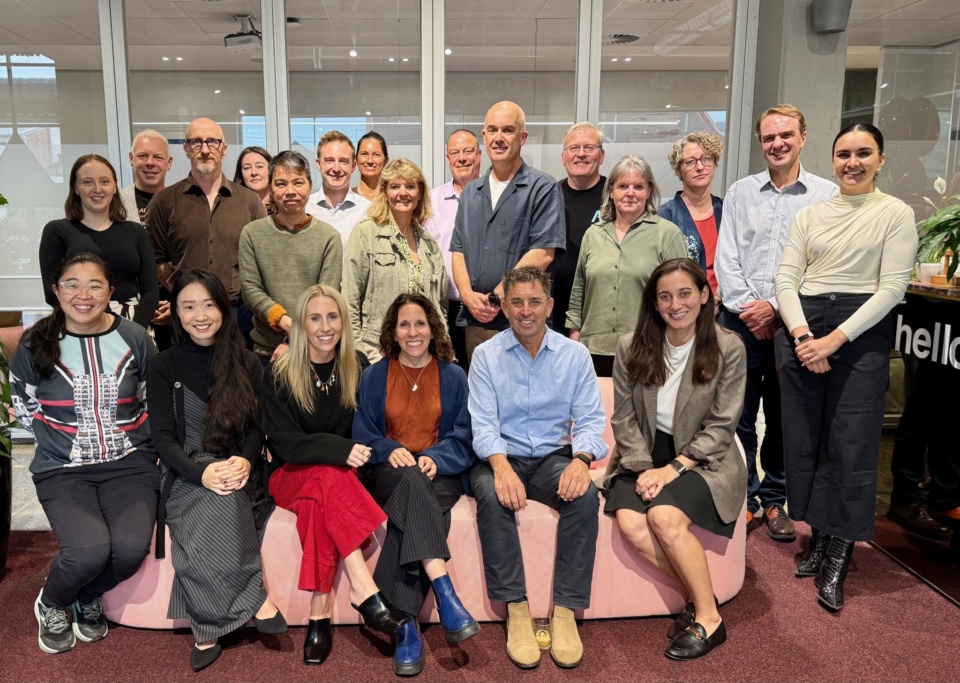
In 2025, Community Directors represented the community sector at a corporate-focused roundtable hosted by the National Artificial Intelligence Centre (NAIC), and this year we convened a national AI roundtable for the sector, bringing together key representatives from banking, sport, insurance, philanthropy, justice, First Nations, health and more. The group discussed the benefits of AI as well as risks, and looked at what holds some organisations back and pushes others towards using AI, considering policy, regulations and culture.
The group expressed concerns related to misuse of AI (plagiarism, fraud, scams, fake content, misinformation, intellectual property abuse and so on), community members left behind in the race towards AI adoption, job losses, effects on the quality of services, the pace of change, data sovereignty, data governance and losing human connection. All of these are significant concerns and they have very important implications for communities and the community sector. The group agreed that policies and processes for safe AI use are fundamental to protecting organisations and their beneficiaries, partners and stakeholders.
"At Community Directors, I asked my own team a simple question: what are you using AI for right now, in your day-to-day work?"
At Community Directors, I asked my own team a simple question: what are you using AI for right now, in your day-to-day work? The answers were unglamorous and genuinely useful in equal measure. So here is what AI augmentation can look like, role by role, for no more than the cost of an enterprise-level AI account with Claude, ChatGPT or similar:
As a program grows, the volume of coordinating tasks – creating campaign emails, building student portals, sending communications, following up on payments – grows with it. One team member has used AI to automate calendar reminders across all her work, replacing a reliance on memory and ad hoc systems with something reliable. The tasks still require human judgement, but the AI-generated calendar reminders make sure none of them get overlooked.
From workshop outlines to slide structures, one team member uses AI throughout the content development cycle. Particularly useful is AI’s ability to check a workshop plan against different audience perspectives, or to generate a range of angles for an article when the blank page is the main obstacle.
When nearing completion of a recent publication, rather than manually combing through the document for inconsistencies between the Word document source and the final designed PDF, one team member uploaded both files and asked AI to compare them. It caught several errors before the publication went out. The same team member has also used AI to generate a table of contents after articles in a book were reorganised, a fiddly task that previously required careful manual work.
Manually searching for contact details can absorb significant time for any NFP or social enterprise. One team member has configured AI as a contact-finding assistant that identifies relevant people, suggests likely email formats (“firstname@departmentname.gov.au”) where email addresses are not public, and asks questions upfront to sharpen results before generating them.
Comparing a marketing email list to a training participant database sounds straightforward until the two lists use different name formats and require a tangle of Excel formulas to reconcile. One staff member used to spend at least 25 minutes a week on this task. Now, a custom tool does it automatically, so the staff member just has to upload two files, select what he needs, done. Added up, the time saved in a year is signficant.
If your community group is not yet comfortable with using AI, start by asking questions about how your group might benefit from it, how you could use it in a way that is aligned with your values, and how you could manage the risks of using it.
A simple way for the leaders or anyone else in your organisation to increase their digital literacy is to invest a small block of time each week in playing with AI in a safe way. This could mean listening to a podcast about AI on the way to the office, attending a free training course at Infoxchange, reading Community Directors’ book on AI, or experimenting for five minutes with prompting a generative AI system such as Copilot, ChatGPT, Claude or Google, using some of the examples above to fuel your imagination.
Community Directors houses a huge web library of free, practical resources, and here's where to find help related to technology and artificial intelligence. You’ll find guidebooks, templates, policies and more articles covering issues such as data, cybersecurity, technology planning, ethics and using artificial intelligence.
Posted on 15 Oct 2026
Community Directors has a warehouse-style office filled with artworks, and if I glance up towards…

Posted on 17 Sep 2026
My father often googles my name, and as a result, years ago, I received a surprising gift in the…

Posted on 13 Aug 2026
As a teenager, I attended summer camp for seven years, first spending two weeks at a time camping…

Posted on 22 Jul 2026
I spoke at the Social Impact Summit in Sydney this month on a topic that has been sitting with me…

Posted on 18 May 2026
Like your favourite T-shirt or the song you listen to when you’re feeling low, your organisation’s…

Posted on 15 Apr 2026
Lately I’ve been spending a lot of time in interview rooms.

Posted on 12 Mar 2026
I sat in a room with 1200 people at a fundraising event a few weeks ago, dressed nicely, feeling…

Posted on 10 Feb 2026
As my family dropped our teenage son off at the airport in the first week of January to embark on a…

Posted on 10 Dec 2025
The Institute of Community Directors Australia trains over 22,000 people each year, which gives us…

Posted on 12 Nov 2025
At the Institute of Community Directors Australia, we believe that stronger communities make a…
Posted on 11 Nov 2025
‘It’s not a question of enough, pal. It’s a zero-sum game. Somebody wins and somebody loses’.

Posted on 15 Oct 2025
The Institute of Community Directors Australia team sits physically and figuratively between two…